Inspection Builder

Case Study
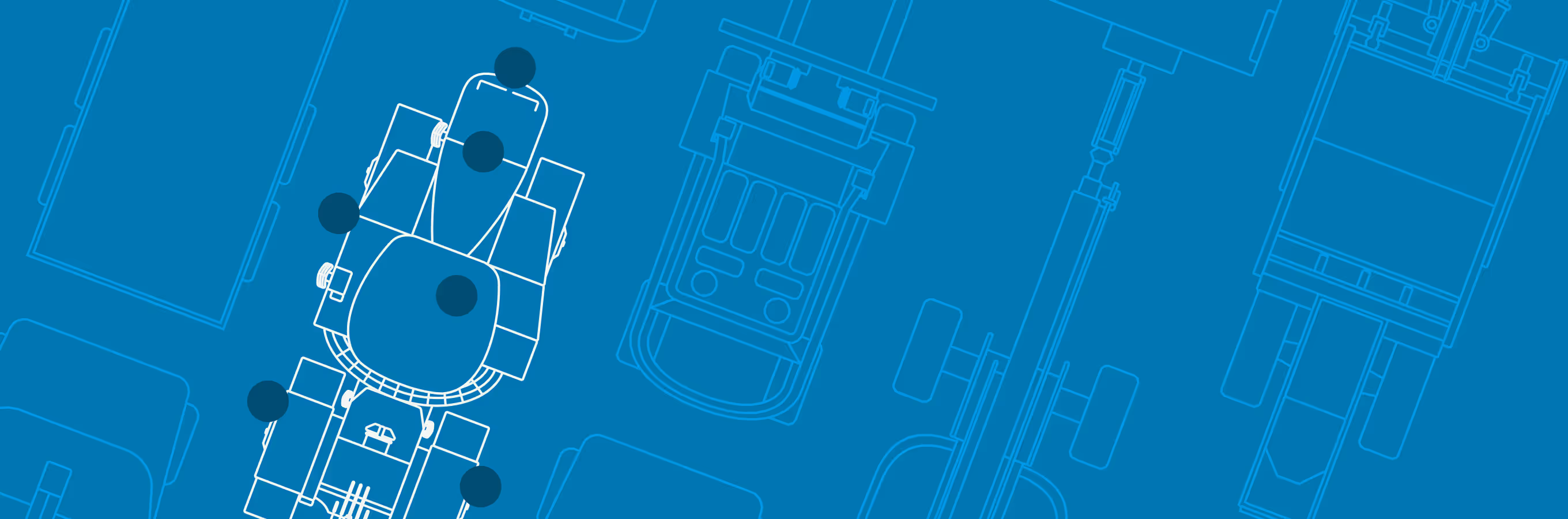
An illustration of various asset illustrations used for Both Inspection Builder and the EVIR mobile app.

Inspection Builder is a web application that allows fleet administrators to create customized electronic inspections (for the EVIR app) tailored to their fleet's specific needs, validated through usability testing, adoption metrics, and operational KPIs.

Overview

Context
As we onboarded more and more customers to the EVIR app we quickly realized that the current process for creating inspections, tailored to the customer’s needs, wasn’t scalable. The team responsible for this work, the Configuration team, asked us to create a customer facing tool that would allow customers to easily configure these inspections settings themselves.
Problem
We were excited to help, but we knew this was going to be a significant undertaking given the complexity of the problem, something that currently involved several different system databases and many steps, all within a aging legacy system.
Solution
We designed a web app experience, using a drag and drop system, for building inspection configs that was easy and intuitive for our customers with minimal training.

Details

Length
Initial MVP was launched in 5 months. We continued to test, refine and development feature improvements for the next year, where we raised our CSAT score from 56 to 87.
Platform
Web application integrated with the EVIR Mobile App
Role
Product design lead.
Work
Research and User testing, Product vision and concept development, Cross functional collaboration, UX and Visual design, Presenting UX concept  to client and Development team, Wire-framing & User flows, Original Asset illustrations and Design, UX oversight during build process, Design lead.

Defining the Solution

Approach
Gathered requirements and interviewed stakeholders for a better understanding of the user's needs
Analyzed existing processes and pain points
Iteratively refined designs based on feedback
Hard Skills
Icon - Wireframing.
Wireframing
Icon - UI Visual Design.
UI Visual Design
Icon - Prototyping
Prototyping
Soft Skills
Icon - Creativity.
Creativity
Icon - User advocacy.
User advocacy
Icon - Active listening
Feedback integration

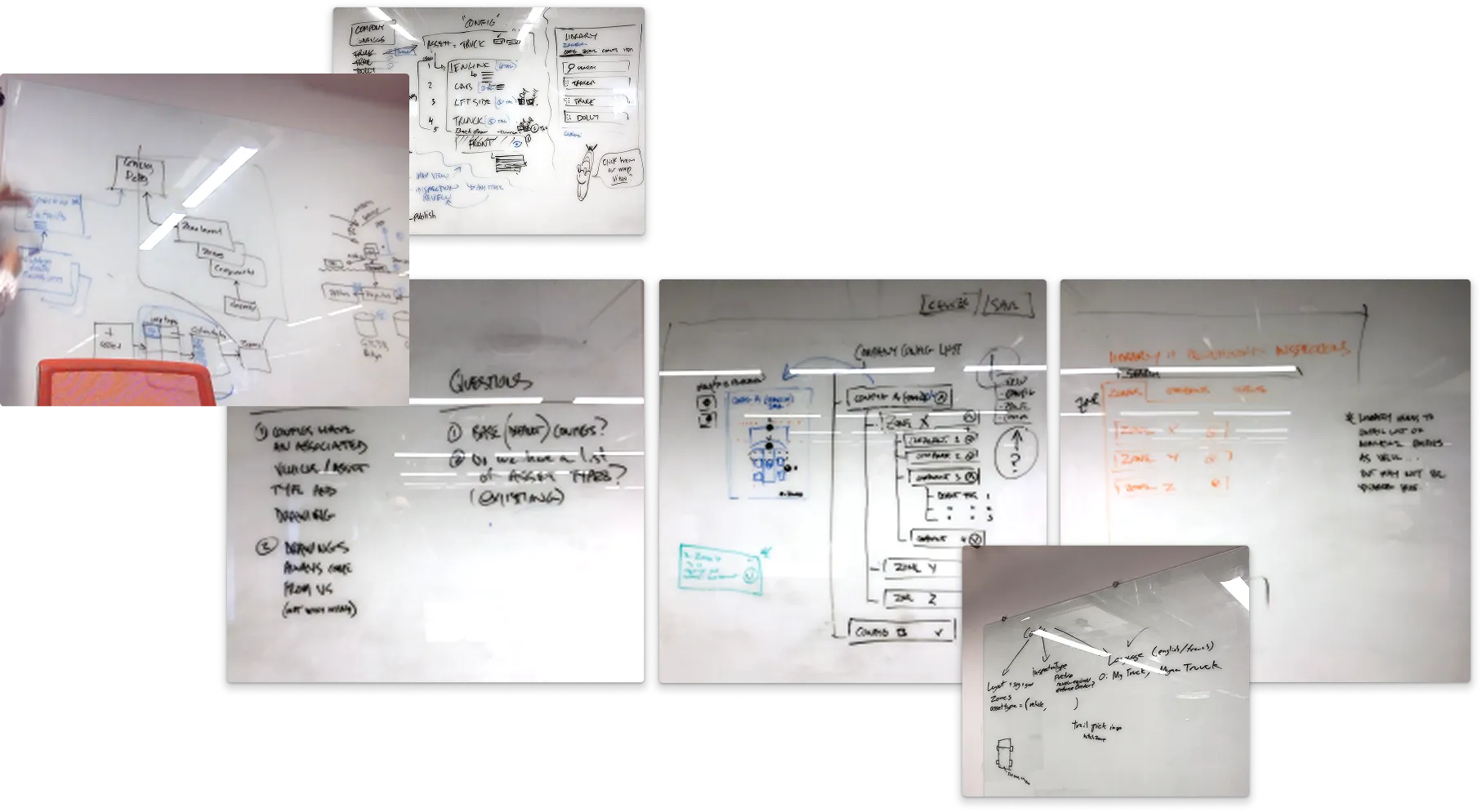
Early whiteboard exercises with team

Collage of multiple whiteboard photos displaying diagrams, flowcharts, lists, and handwritten notes related to configurations, company groups, library inspections, questions, and app layout design.

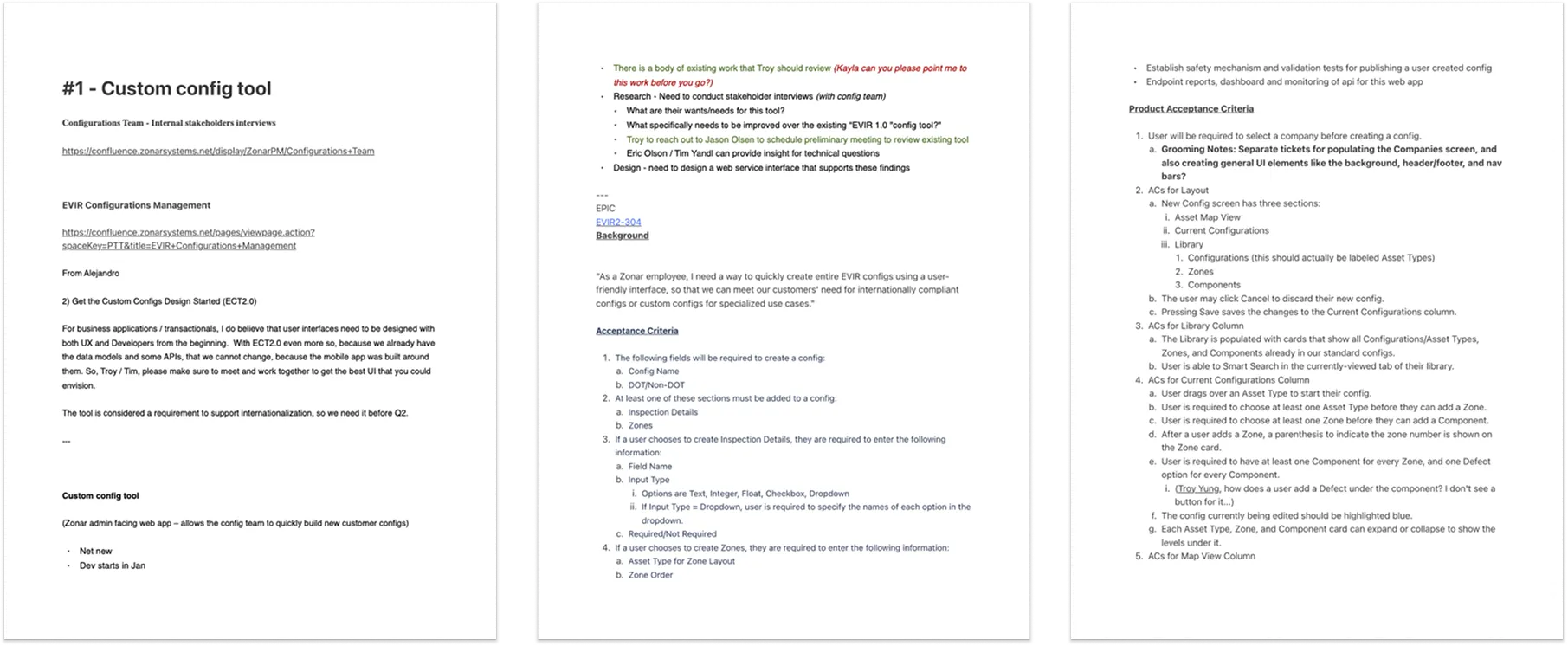
Internal stakeholder interviews

Three-page document detailing the Custom Config Tool project including links to Confluence pages, stakeholder interview notes, acceptance criteria, and product acceptance criteria for configuration tool development.

Design & Iteration

Features
Map View for intuitive zone selection
Customizable inspection templates
Drag-and-drop interface for component arrangement
Iterations
Conducted usability tests to refine user flows and UI
Collaborated with developers to ensure feasibility
Hard Skills
Icon - UI Visual Design.
UI and UX design
Icon - Interaction design
Interaction design
Icon - Accessibility compliance
Accessibility compliance
Soft Skills
Icon - Team collaoration
Team collaboration
Icon - Active listening
Attention to detail

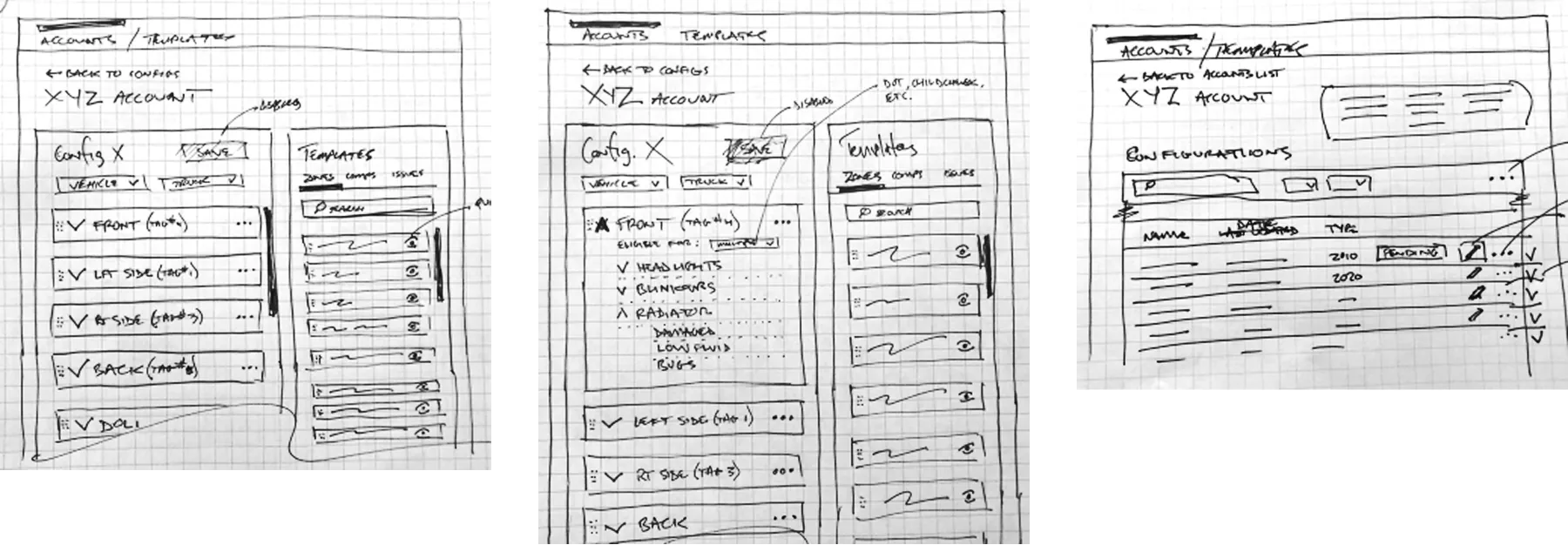
Early wireframe sketches

Hand-drawn wireframe sketches of an accounts and templates interface showing configuration panels with vehicle and truck options, checklists, template lists with search bars, and a table of configurations with editable fields.

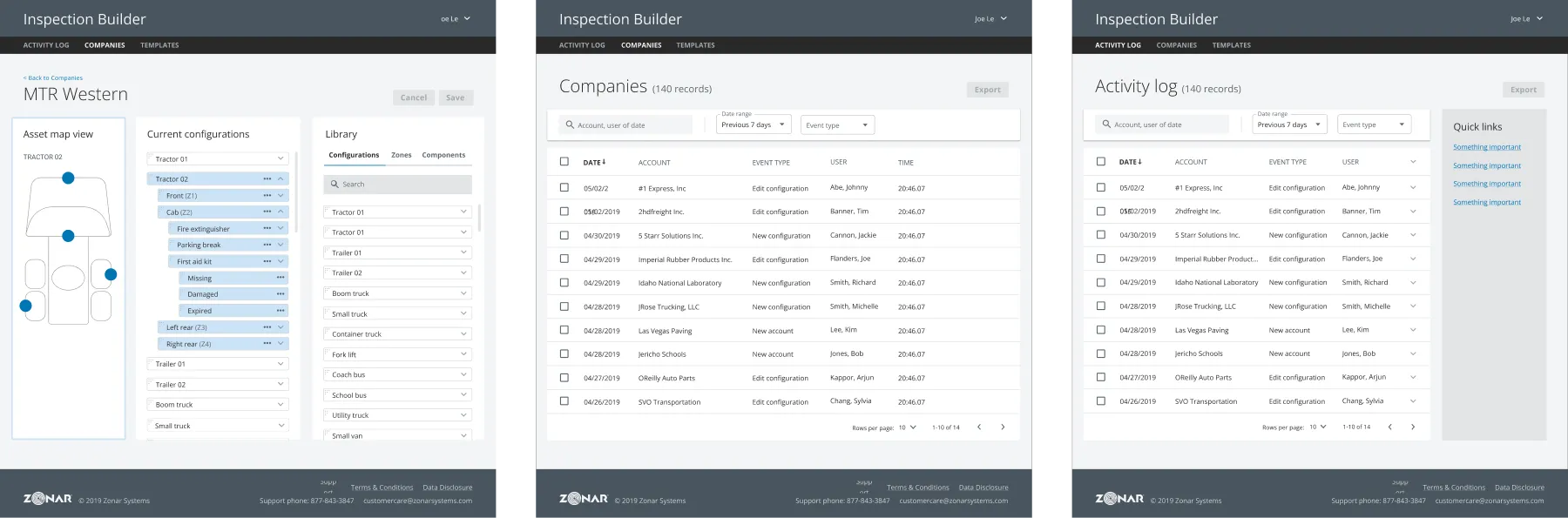
Early comps

Three side-by-side screenshots of the Inspection Builder software showing company asset map with configurations, a list of companies with event logs, and an activity log with quick links.

Validation & Testing

Methods
Moderated Usability Testing
10 different internal participants not familiar with EVIR, from multiple teams: CX, TPM, Sales, PAG, Learning & Content teams
Outcomes
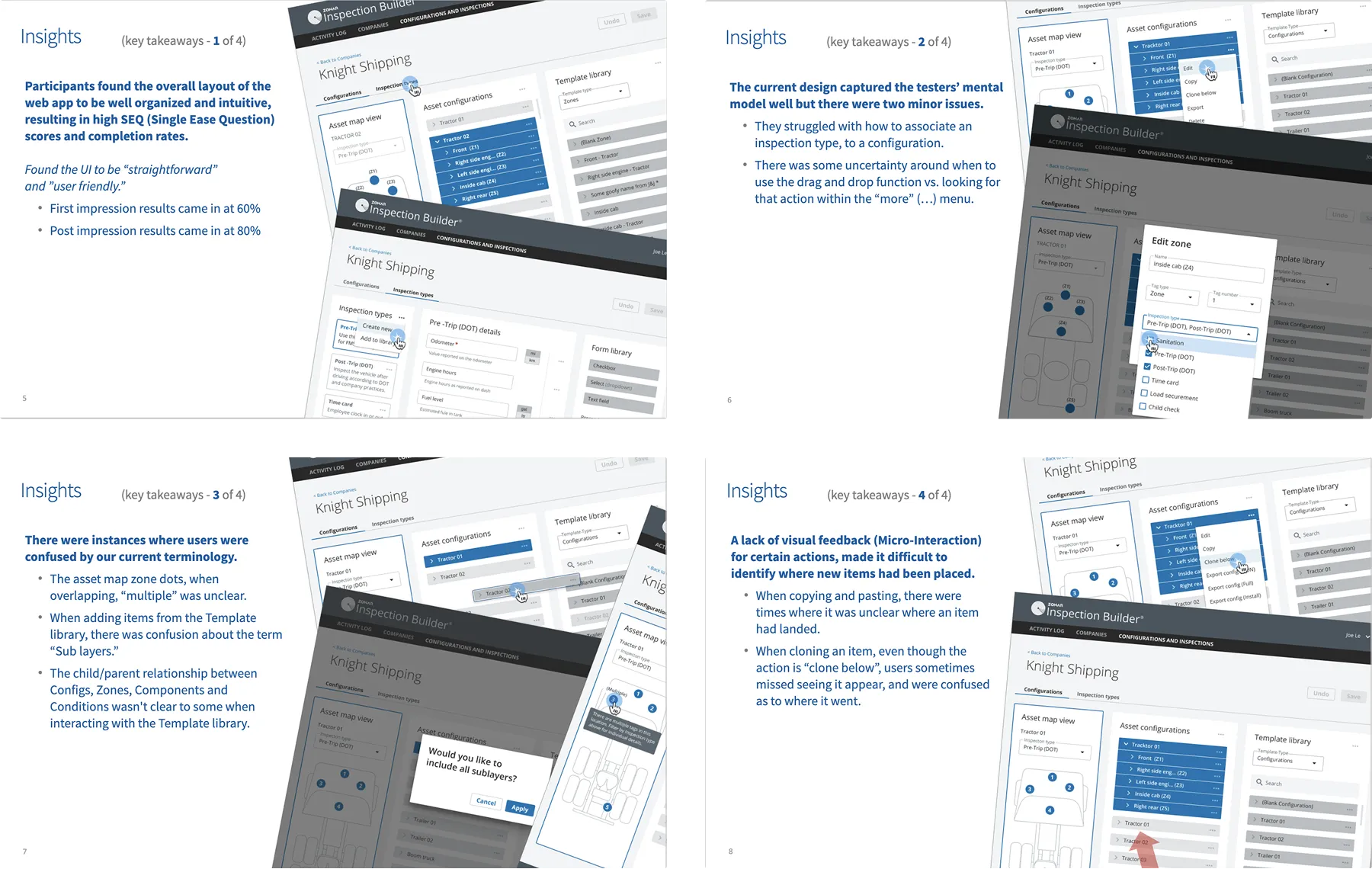
Participants found the overall layout of the inspection builder space to be well organized and intuitive, resulting in high completion rates (90%)
The current design mostly captured the testers’ mental model but needed some changes
Unclear terminology or naming conventions were found in several areas
SEQ (Single Ease Question)
First impression results 60%
Post impression results 80%
Task Completion Rates: All Questions
90% Completion Rate
Hard Skills
Icon - User research and analysis.
Usability testing
Icon - Data analysis
Data analysis
Icon - Accessibility compliance
Iteration planning
Soft Skills
Icon - Empathy
Open-mindedness
Icon - Creativity.
Handling constructive criticism
Icon - Cross-functional communication.
Continuous improvement mindset
Participant Sentiments
" ...A lot of people like to overcomplicate things, but y'all just make it so simple and so easy that … you could bring in a fifth grader, you could teach this to that kid, and that kid will be doing the job within a couple of weeks
Sales participant

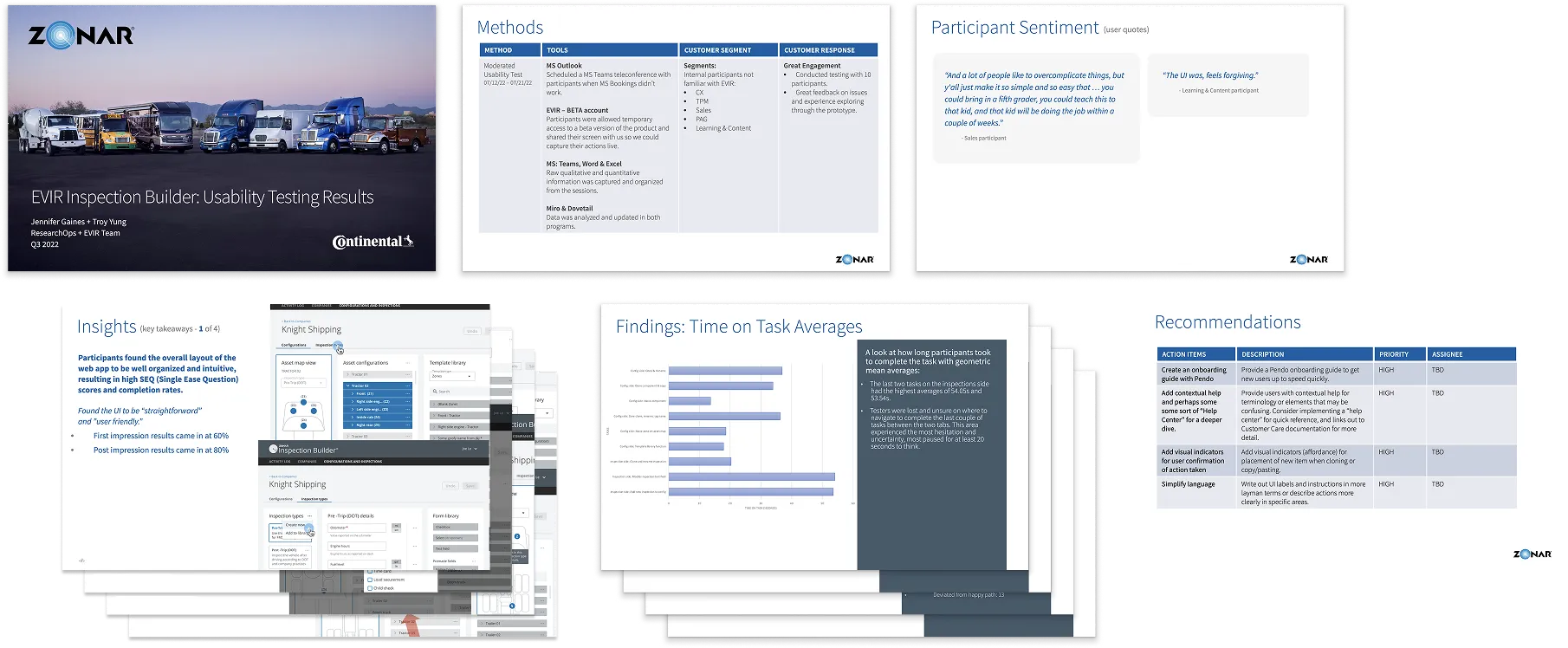
Testing results share out

Presentation slides titled 'EVIR Inspection Builder: Usability Testing Results' showing methods, participant sentiments, insights, task time averages bar chart, and recommendations tables from usability testing.

User testing Insights

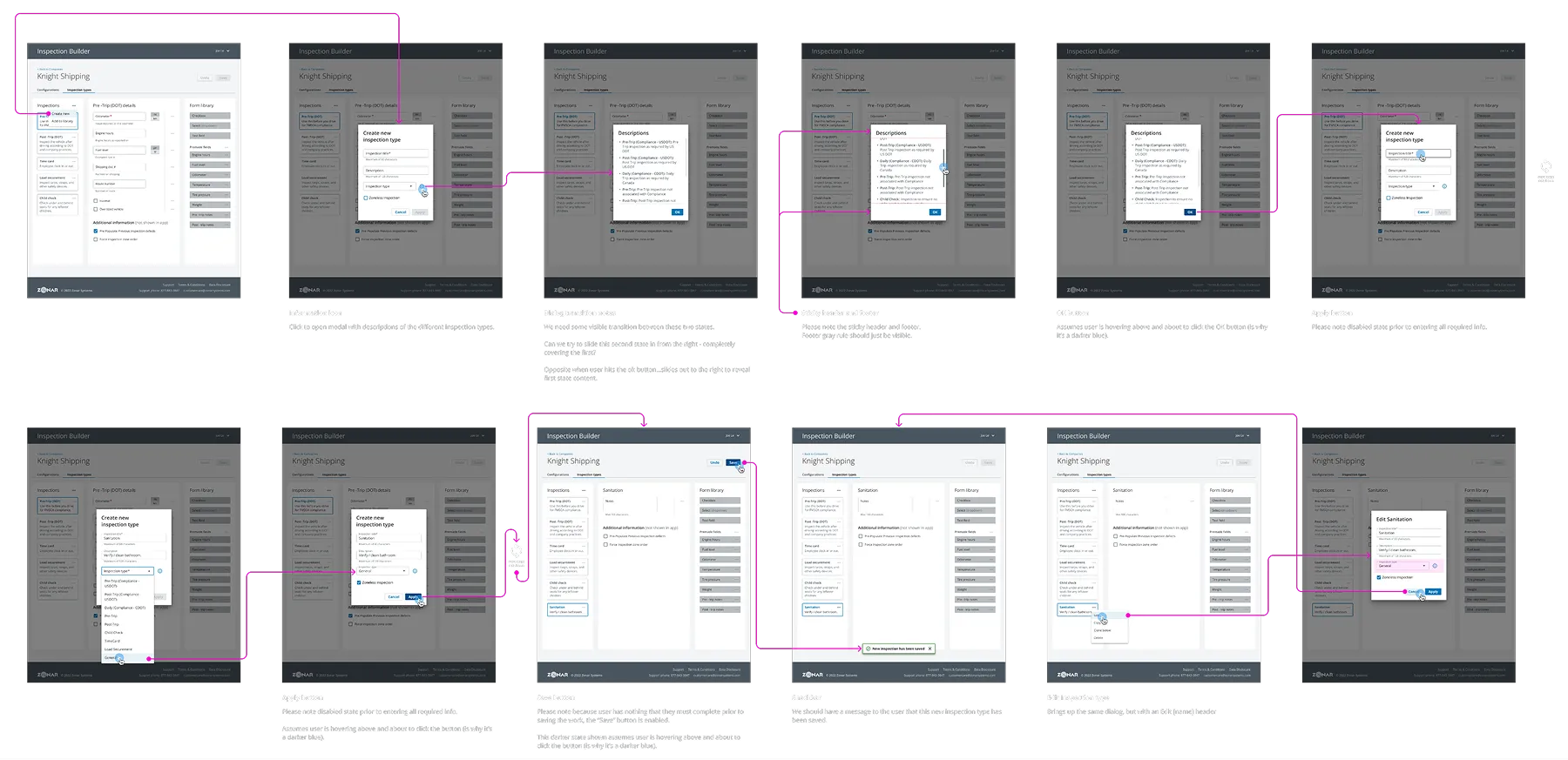
Series of screenshots showing the Inspection Builder interface for Knight Shipping, including creating and editing inspection types, description pop-ups, form library, and user interactions with apply and save buttons.

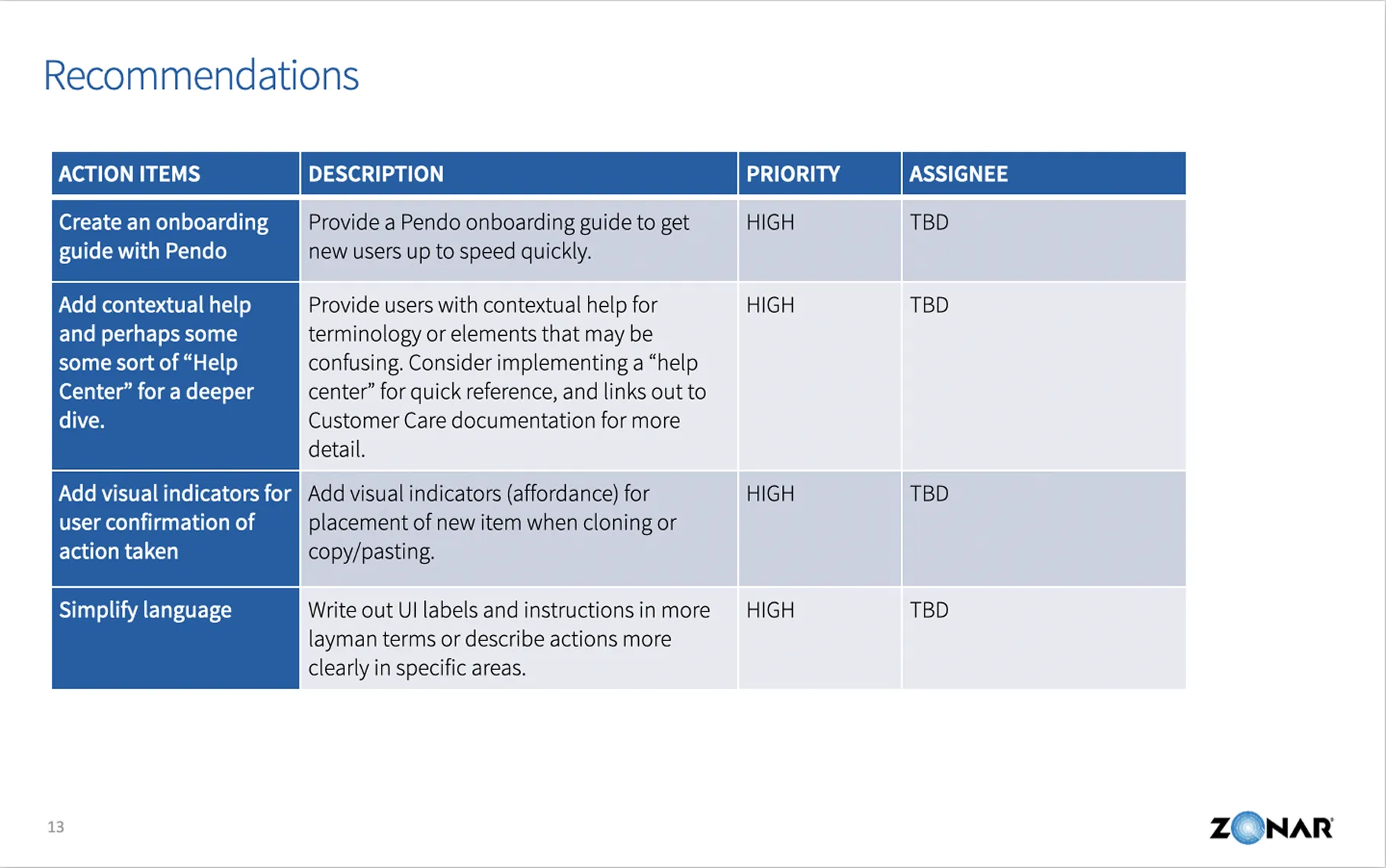
Recommendations

Screenshot of an EVIR Inspection Builder Usability Testing document showing research goals, methodology with user testing details, participants list with session recordings, and participant questions for workflow testing.

Prototypes for testing

Series of screenshots showing the Inspection Builder interface for Knight Shipping, including creating and editing inspection types, description pop-ups, form library, and user interactions with apply and save buttons.

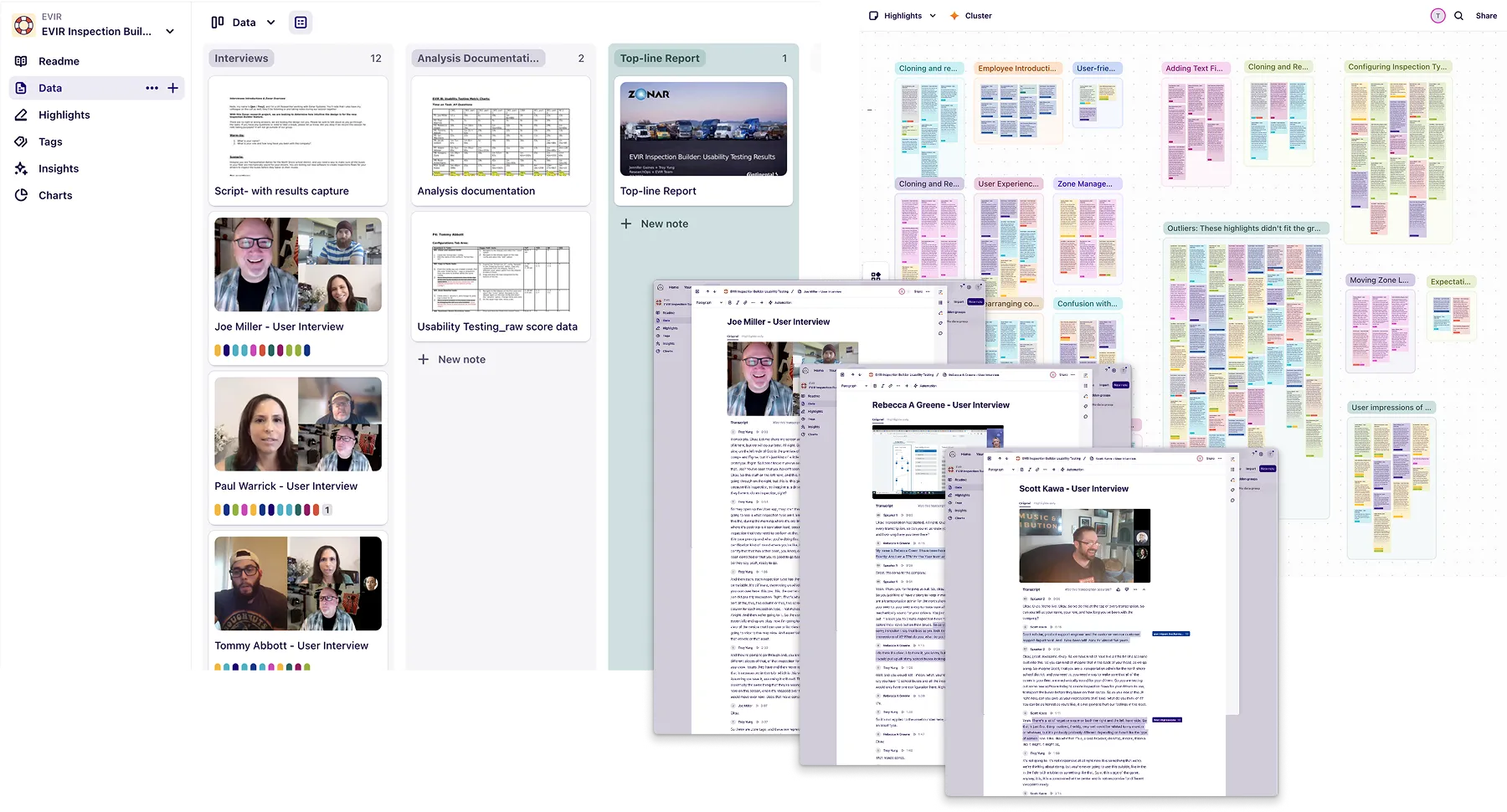
Dovetail research and insight repository

Screenshot of an EVIR Inspection Builder Usability Testing document showing research goals, methodology with user testing details, participants list with session recordings, and participant questions for workflow testing.

Outcomes & Impact

Results
Completely removed burden of inspection creation from Configuration team
Enhanced flexibility in inspection creation
Reduced training time for new users
Helped close three deals imidiatly after launch
Metrics
Usability - SUS improved from 62 to 81 in the first 3 months of use
Adoption - 91% within this same timeframe
Operational Impact - Support tickets reduced by 83%
Likert approval score - 5 (strongly approve) via Pendo Guide
Hard Skills
Icon - Interaction design
Performance tracking
Icon - Problem framing
Reporting
Icon - Process optimization
Process optimization
Soft Skills
Icon - Creativity.
Leadership
Icon - Strategic thinking
Strategic thinking
Icon - Active listening
Impact assessment

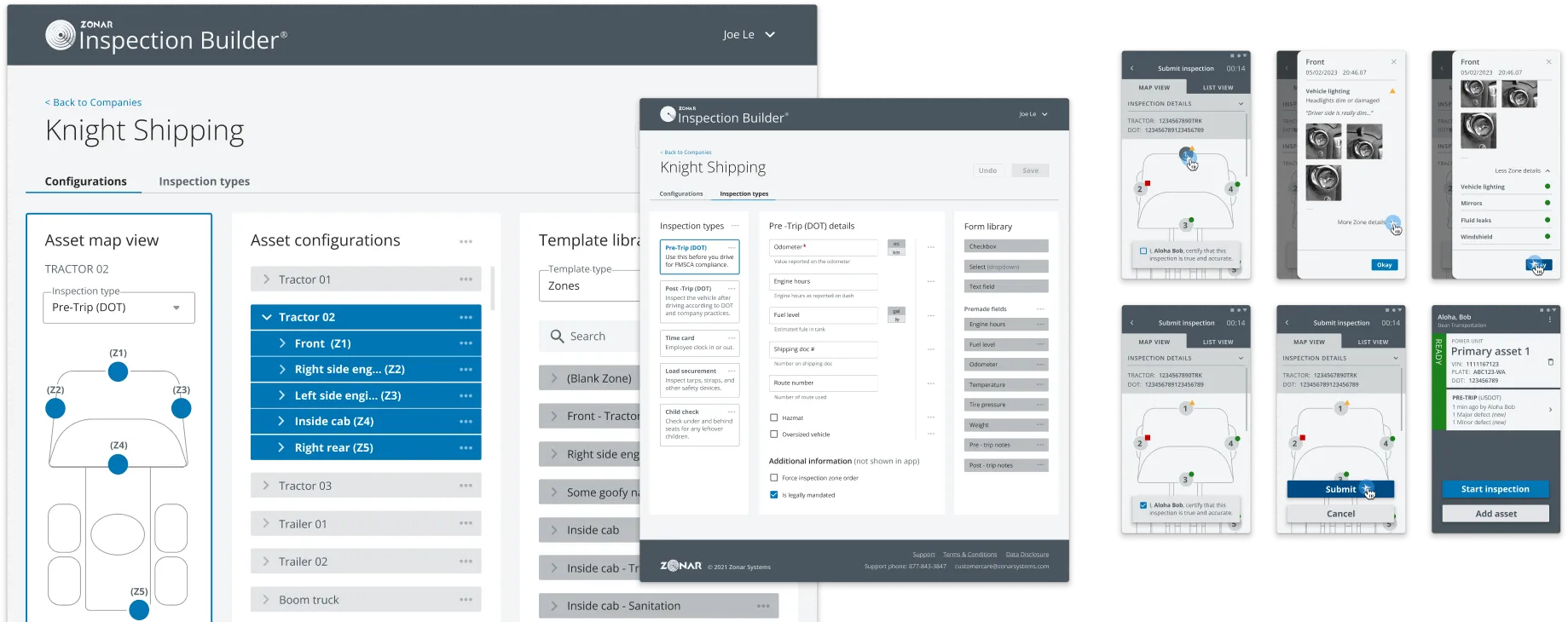
Most recent itteration

Zonar Inspection Builder interface showing configuration and inspection screens for Knight Shipping with tractor inspection zones, pre-trip details, and mobile inspection submission views.

Retrospective & Reflection

Learnings
Importance of user-centric design in compliance tools
Value of iterative testing and feedback loops
Need for cross-functional collaboration in complex projects
Next steps
Explore integration with other fleet management tools
Adapt tool for use with other types of inspections i.e. buildgings, airplanes, etc.
Identify areas for further enhancement of existing UI and userflow
Hard Skills
Icon - Post-project analysis
Post-project analysis
Icon - Stakeholder interviews
Documentation
Icon - Process optimization
Knowledge sharing
Soft Skills
Icon - Creativity.
Self-reflection
Icon - Strategic thinking
Adaptability
Icon - Cross-functional communication.
User research and analysis